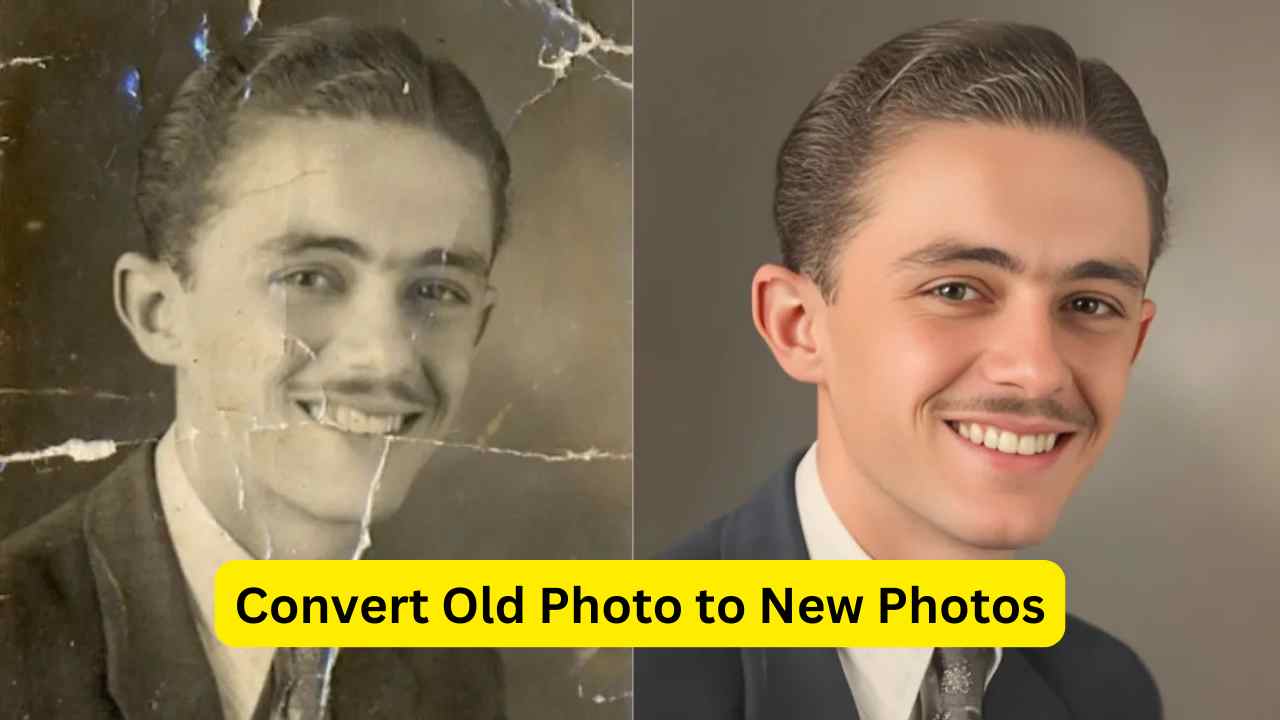
How to Restore Old Photos to DSLR-Level Quality Using AI
Do you have old photos of your parents, grandparents, or childhood memories that look faded, blurry, or damaged? And have you ever wondered if it’s possible to make those photos look like they were taken with a modern DSLR camera?
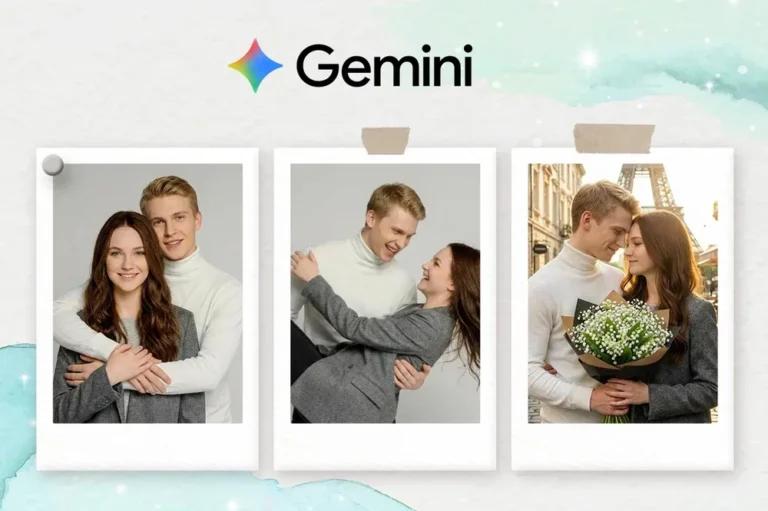
The good news is yes, it is now possible. With the help of advanced AI tools like Google Gemini and ChatGPT, you can transform old, low-quality images into clear, high-resolution portraits.
Recently, this has become a popular trend on social media. People are taking their old photos and enhancing them with AI to create professional-looking images with sharp details, improved colors, and better lighting.
What makes this even more impressive is that AI does not change the identity of the person in the photo. It keeps the original facial features intact while improving clarity, removing noise, and enhancing overall quality.
Why Use AI for Photo Restoration?
Before jumping into the steps, it’s important to understand why AI tools are so effective for this task.
- They improve image resolution without making it look artificial
- They restore faded colors and correct lighting
- They remove noise, scratches, and blur
- They preserve original facial features accurately
- They save time compared to manual editing
In simple terms, AI does the hard work for you while keeping the image natural.
Step-by-Step Guide to Restore Old Photos Using Google Gemini
Let me walk you through the exact process in a simple and beginner-friendly way.
Step 1: Open Google Gemini
First, go to Google Gemini.
You can access it either through:
- Your web browser: https://gemini.google.com/app
- The Gemini mobile app on your phone
Make sure you are logged into your Google account.
Step 2: Upload Your Old Photo
Once you are inside the interface:
- Look for the “Upload files” option
- Select your old photo from your device
- Upload the image you want to restore
Try to choose a photo that is not completely damaged. AI works best when there is at least some visible detail.
12 Gemini Old Photo Restoration Prompt Free Samples to Try
Here are 12 Gemini old photo restoration prompts gathered from creators online, and you can freely adjust them to suit your own restoration needs.
1. Ultra-Realistic 8K Vintage Photo Revival
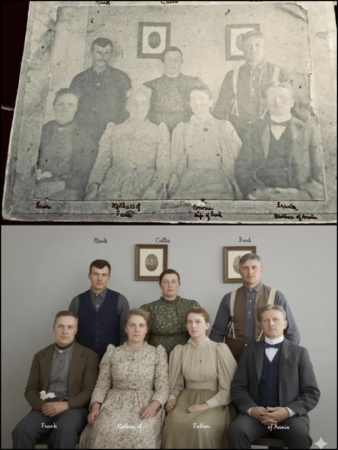
Prompt:
Create an ultra-realistic 8K restored version of an old, damaged photograph. The image should retain the original person's identity and features but be enhanced with lifelike skin texture, sharp facial details, and natural lighting. Remove scratches, stains, and blur while preserving authenticity. The colors should be soft, balanced, and natural, reviving faded tones into a rich, full-color look. Add depth, contrast, and gentle shadows to create a vibrant yet realistic restored portrait with DSLR-quality clarity and detail.Copy2. Canon-Level Professional Portrait Upgrade
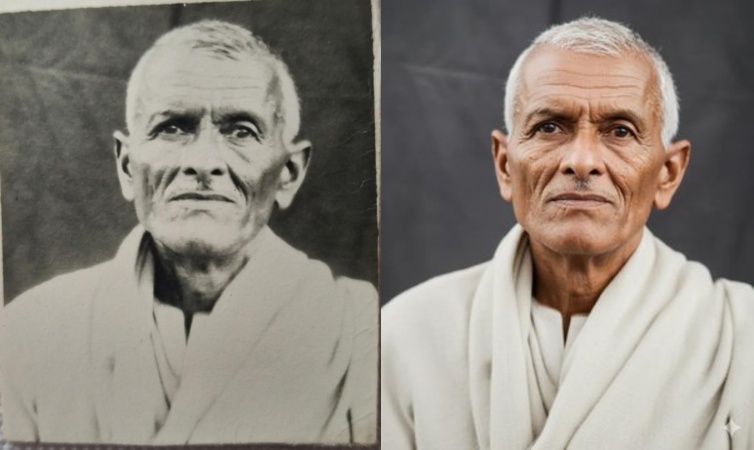
Prompt:
Edit this photo into a professional portrait of very high quality and color, comparable to the results of Canon EOS R5. Create like a recent photo, with great clarity and no noise. Produce razor-sharp photos. Full HD 32k.Copy3. Modern Digital Portrait Conversion (99% Likeness)
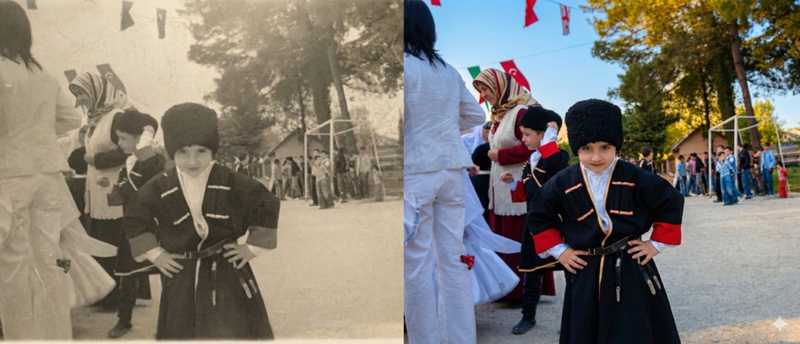
Prompt:
Ultra-realistic recreation of an old vintage photo, keeping the same original face (99% likeness, no alteration). Transform into a modern high-quality digital portrait with vibrant updated colors, smooth realistic skin textures, and natural lighting.Copy4. High-Quality Damage Repair and Natural Restoration
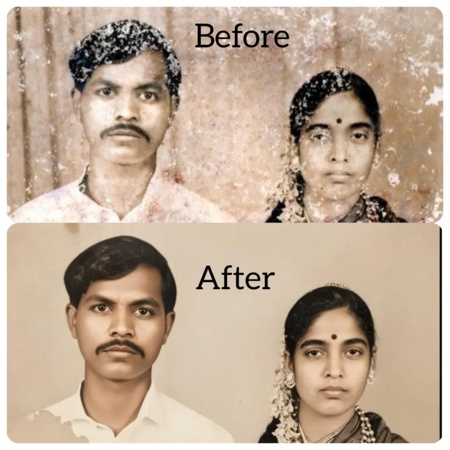
Prompt:
Restore this old damaged photo to high quality. Repair scratches, tears, and faded areas while keeping the face and details natural. Reconstruct missing parts with realistic texture. Enhance the skin tone to look original, smooth, and lifelike without over-editing. Balance colors to match natural lighting, sharpen facial features, and preserve authenticity. Output in photo-realistic style, high resolution.Copy5. Authentic Vintage Transformation With 99% Likeness
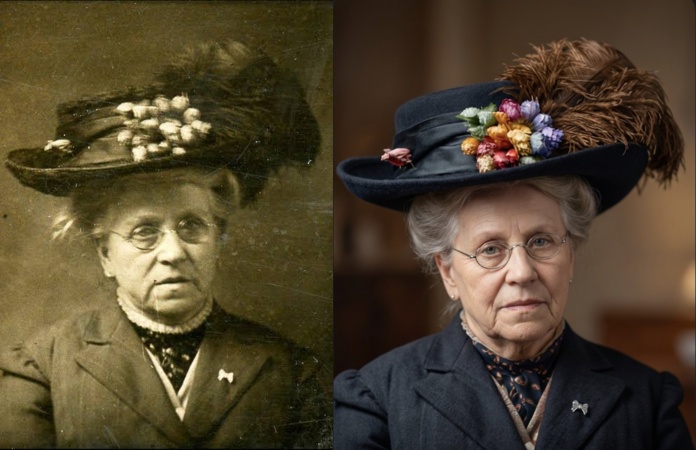
Prompt:
Ultra realistic recreation of an old vintage photo while keeping the same original face with 99 percent likeness and no alterations. Transform it into a modern high quality digital portrait with vibrant refreshed colors, smooth realistic skin textures, and natural lighting.Copy6. Canon-Style Portrait Restoration for Filipino Features
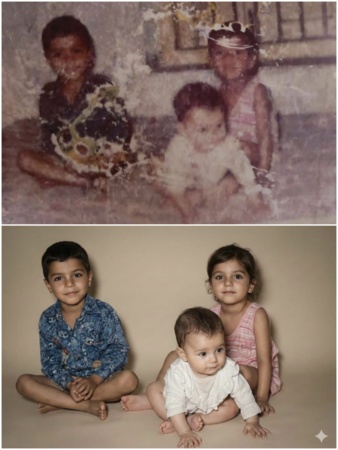
Prompt:
Restore and enhance this photograph to professional portrait quality comparable to a Canon EOS R5 capture. Repair all scratches, folds, stains, discoloration, and missing details with high-precision reconstruction while preserving the subject's natural Filipino facial features, skin texture, and lighting. Vivid Colourful.Copy7. Professional Canon EOS R5 Portrait Enhancement
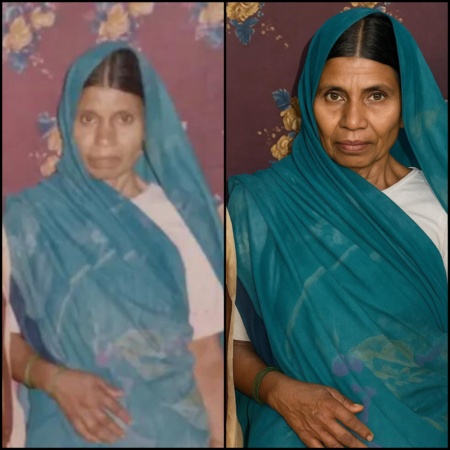
Prompt:
Edit this photo into a professional portrait of very high quality and color, comparable to the results of Canon EOS R5. Create like a recent photo, with great clarity and no noise. Produce razor-sharp photos. Full HD 32k.Copy8. Modern Portrait Upgrade With New Outfit and Background
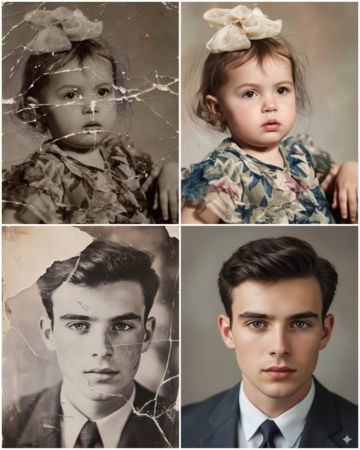
Prompt:
Ultra-realistic recreation of an old vintage photo, keeping the same original face (99% likeness, no alteration). Transform into a modern high-quality digital portrait with vibrant updated colors, smooth realistic skin textures, and natural lighting. The outfit and background should be upgraded into a clean, modern aesthetic while preserving the authenticity of the original pose and expression.Copy9. 1080×1920 Modern Aesthetic Photo Edit
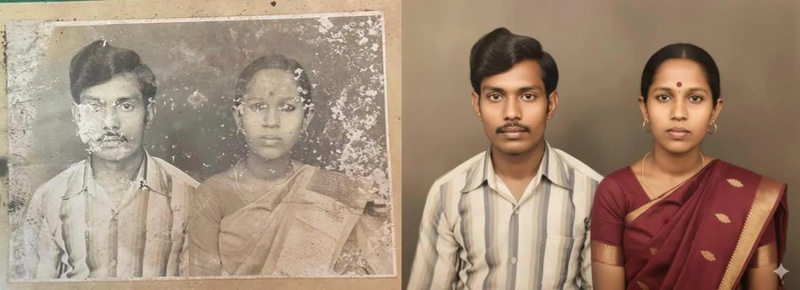
Prompt:
Please edit my old photo into 1080 x 1920 pixels, with an aesthetic and modern photography look, making it appear authentic and enhancing the colors.Copy
Source: @marryevan999
10. Full Modern Portrait Conversion With 100% Likeness
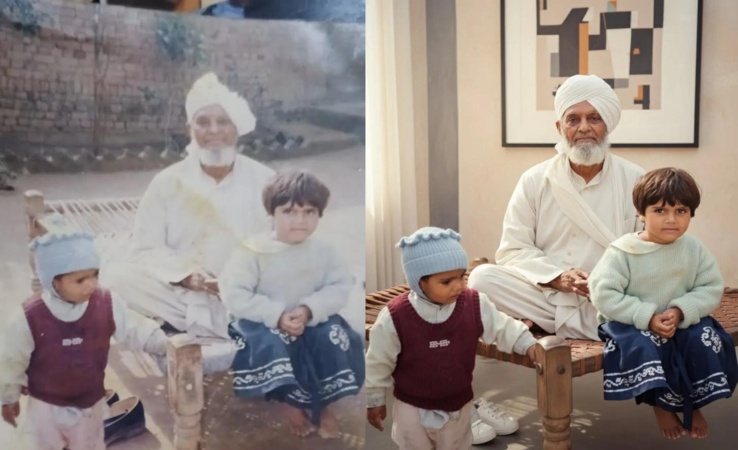
Prompt:
Ultra-realistic recreation of an old vintage photo, keeping the same original face (100% likeness, no alteration). Transform into a modern high-quality digital portrait with vibrant updated colors, smooth realistic skin textures, and natural lighting. The outfit and background should be upgraded into a clean, modern aesthetic while preserving the authenticity of the original pose and expression.Copy11. Authentic Colorized Restoration With Accurate Details
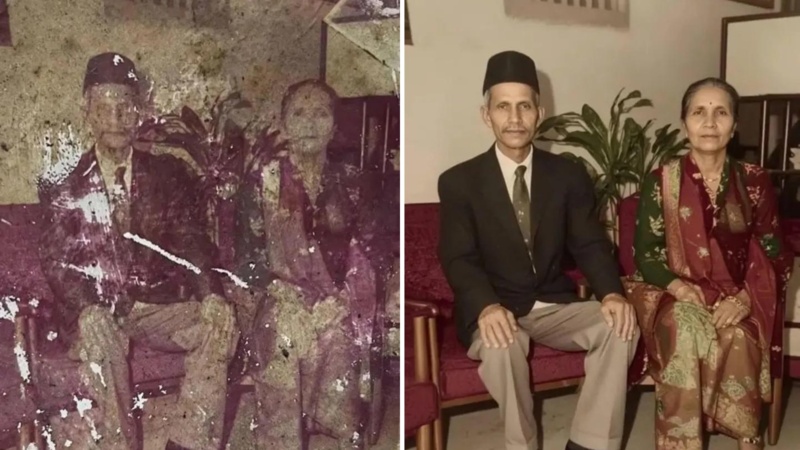
Prompt:
Restore this photograph to its original quality by repairing scratches and missing details. Then carefully colorize the image, keeping skin tones, clothing, objects, and background realistic. Preserve the original style without adding new elements or changing the identity of the people.Copy12. DSLR-Quality Family Photo Restoration (Canon R5 Look)
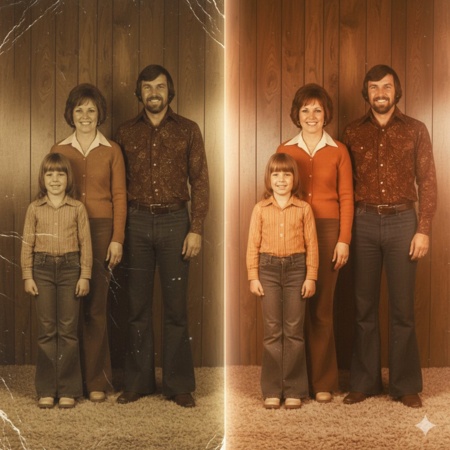
Prompt:
Restore this vintage family photo to modern DSLR quality: fix scratches, bring back natural colors, sharp 4K detail, soft studio lighting, Canon R5 look, keep the emotion intact.Step 4: Let the AI Process the Image
After entering the prompt:
- Submit your request
- Wait a few seconds
The AI will process your image and generate an enhanced version.
Step 5: Review and Download
Once the result is ready:
- Check the clarity and details
- If needed, adjust your prompt slightly and try again
- Download the final image
You will notice a significant improvement in sharpness, color, and overall quality.
Pro Tips for Better Results
If you want even better output, keep these tips in mind:
- Use high-quality scans of old photos instead of very compressed images
- Avoid overly damaged images with missing facial parts
- Try multiple prompts with small variations
- Mention details like lighting, skin tone, and sharpness in your prompt
Final Thoughts
Restoring old photos used to require professional editing skills and expensive software. But now, with tools like Google Gemini and ChatGPT, anyone can do it in just a few minutes.
If you have old memories stored in low-quality images, this is the perfect time to bring them back to life. The process is simple, fast, and surprisingly effective.
You just need the right prompt and a little experimentation to get DSLR-level results.